



How do I edit or cancel my recurring investment plan?
Last updated: 12 August 2026
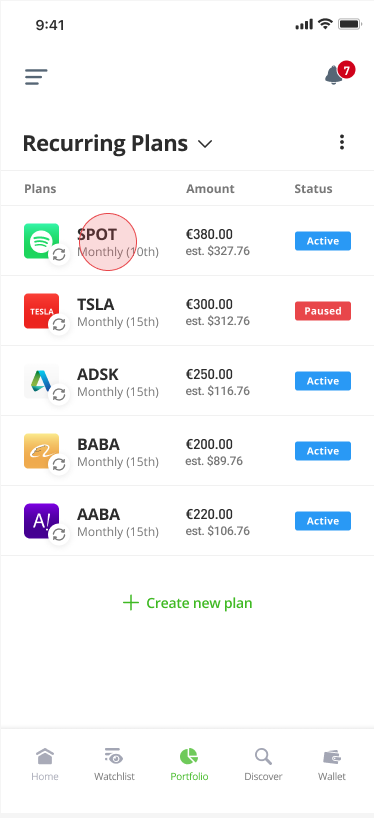
You can edit or cancel your plan from the Recurring Plans section of the portfolio.
Click here to go straight there, or follow these instructions:
- Go to your Portfolio
- Click on My Portfolio
- Select Recurring Plans from the list
To edit or cancel a plan:
- Select the asset plan from the list.
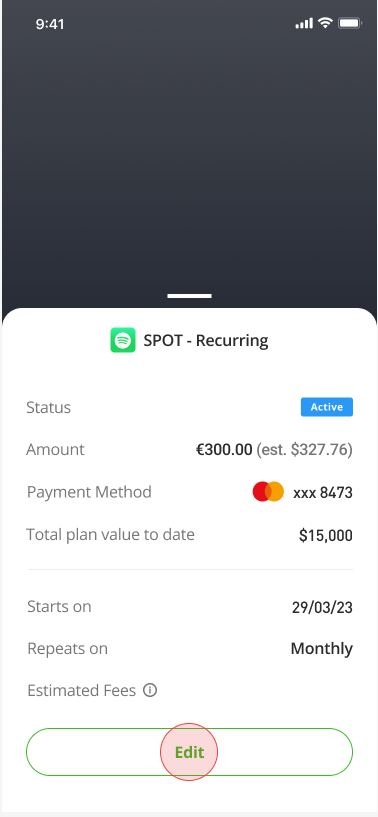
- Click Edit
- Edit or cancel the plan
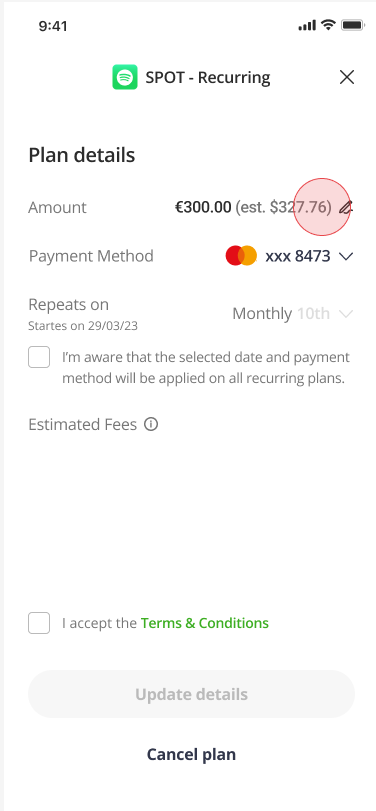
- Confirm the changes/cancellation
Was this article helpful?
Still need help?
We're happy to assist you, whenever you need us. Choose your preferred method of contact.
Related articles
account
Are etoro Club offers available in my language?
account
Can I send and receive international payments using my local currency account?
account
Can I transfer funds from my etoro investment account or local currency account into my ISA?
account
Can other etoro customers see my etoro Club tier?
account
Corporate accounts
account