



How do I choose where to receive my withdrawn funds?
Last updated: 12 August 2026
To choose where to receive your funds when making a withdrawal:
- Go to the Withdraw Funds tab in the sidebar.
- Enter the amount you wish to withdraw and click Next.
- Review the default payment method. To use a different method, click Other Payment Options.
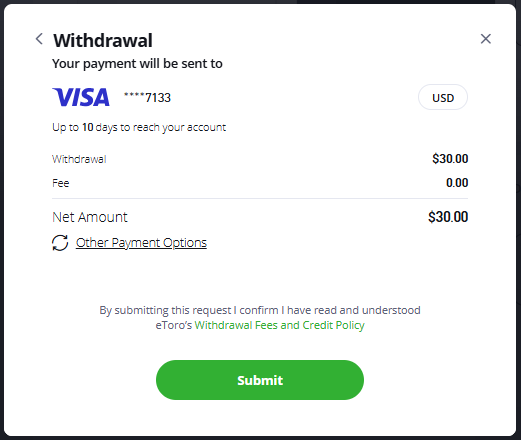
- Choose from the payment methods you previously used to deposit or add a new one.
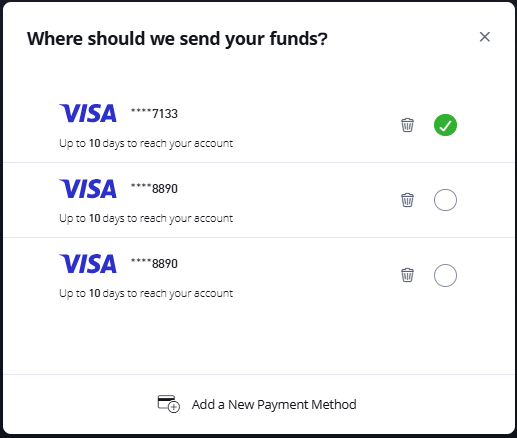
- When adding a new method, only the options available in your region will be shown. In most countries, bank transfer is the only alternative available.
Important note:We may have to refund the original deposits where we deem it necessary to ensure the security of your funds.
Once we process the withdrawal, details of where the funds were sent will be shown on your withdrawal dashboard.
Was this article helpful?
Still need help?
We're happy to assist you, whenever you need us. Choose your preferred method of contact.
Related articles
funding/withdrawals
How do I open and manage my DKK account on etoro?
funding/withdrawals
How do I withdraw from or transfer funds between my ISAs?
funding/withdrawals
What if my credit card has been cancelled?
funding/withdrawals
What if my credit card has expired?
funding/withdrawals
What is a local currency account on etoro?
funding/withdrawals